The story thus far…
Earlier last year, I set up a NAS in my apartment. Since I had not written an update about it then,
I am forced to describe it now. Let this be a lesson to all who think laxity will go unpunished!
The NAS

I bought a 5 bay enclosure for drives, and hooked it up to my home server. At the time, I was only
able to get a 4 TB drive. So, I stuck the drive into the enclosure, formatted it with BTRFS, and
moved most of my media library onto it. Later, I was able to get another 4 TB drive, and I had
decided by now that in the long term, I want a ZFS pool. So, I managed to fish out two old 1 TB
drives and started thinking on how best to set things up. In the course of my research, I found
this article by Jim
Salter. He’s also a host on a podcast I subscribe to, so I consider this
article a trusted source of information.
I have always been obsessed with computers. Unfortunately, as a child, I never could pick the top of
the line parts for any of my computers. They were either hand-me-downs, or decked out to meet my
needs, which, at the time, fell well short of my wants.
A Truly Grand Upgrade
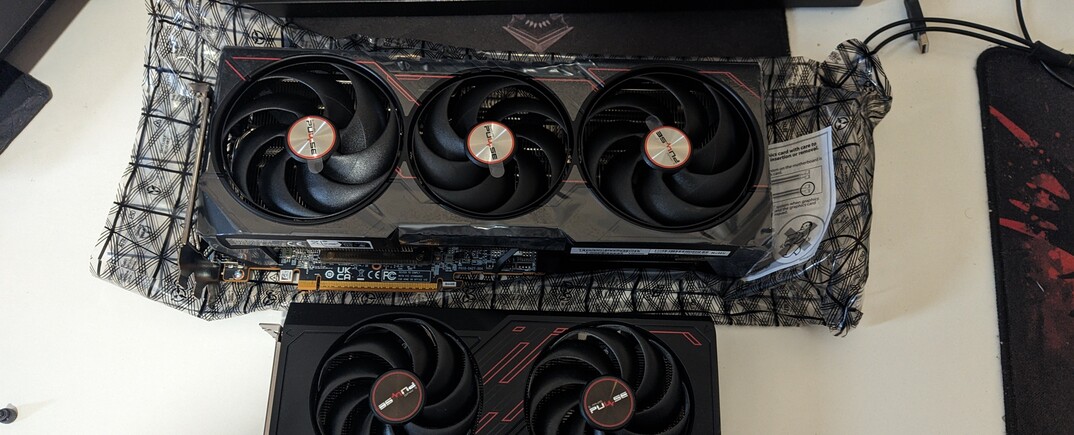
I got my first full time job in 2023. The first thing I did with these newfound funds was buy
furniture in my new apartment. The second thing I did bought a monster of a computer. A shiny new
ryzen processor, double the memory I used to have, and, for the first time since 2008, in a desktop
form factor. Before this, I had a relatively beefy Asus ROG gaming laptop, mostly for the high end
CPU and good build quality. My new computer was 3 to 7 times faster!

Claiming Things
In November 2020, I was able to get my hands on a
System76 Lemur Pro (lemp9). The thin and light laptop boasts a phenomenal battery life of 10+ hours
of light typing work (at the expense of underwhelming performance, even when plugged into the wall).
Recently, in a private group, when discussing laptop battery life, I pointed out that you don’t
necessarily need ARM silicon or macOS to get more than a couple hours of battery, and that my laptop
with intel and Linux can still deliver around 9 hours of battery life when doing light work. My
claims were ridiculed and I was asked to do a “real test” of battery life to substantiate my claims.

Authentication
Authentication is any process that verifies and validates the identity of a client. Any login
process is a type of authentication. Traditionally, authentication is done via a username and a
password.
Multi Factor Authentication
Multi factor authentication (MFA) uses multiple factors to establish identity, instead of a single
one, as in the classical case. These factors can be
- Something you know (e.g., password)
- Something you have (e.g., a phone)
- Something you are (e.g., biometrics)
- Somewhere you are (e.g., GPS coordinates)
With a sane setup, for the vast majority of daily activities, 2 Factor Authentication (2FA) is
sufficient.

One Time Password
A One Time Password (OTP) is, as the name suggests, a single use password. It is most frequently
used as a second factor in a 2 Factor Authentication scheme. It provides the “something you have”
factor: the device providing the password.
Time based One Time Password
A Time based One Time Password (TOTP) is a One Time Password which uses the current time to generate
the One Time Password. This means that TOTPs do not need a working network connection, and can still
make a valid OTP on demand. Mathematically, a TOTP is just a function which takes two inputs, a
seed, and the time. If the seed is shared ahead of time, as a pre shared secret, TOTP can be, and is
used, as a complete and secure replacement for classical forms of OTP.
Page 1 of 4 | Showing posts 1 - 5